Considering a better LMS?
Why North America’s top institutions aren’t just using Canvas—they’re growing with it
Canvas is the #1 LMS in North America—trusted for superior user experience, faster innovation, AI-powered teaching tools, stronger analytics, and smoother migrations.


Why institutions switch to Canvas
- Easier for faculty to use from day one
- Faster grading and feedback with SpeedGrader
- Modern AI tools built for education
- Higher satisfaction among students and instructors
- Better analytics for retention and engagement
- Proven migration support with low disruption
Canvas is designed to reduce friction and make an LMS feel usable and connected for everyone who depends on it.
Renewing the status quo may cost more than switching your LMS. Evaluate Canvas now to improve:
- AI That Helps Faculty Now: Most LMS platforms are still catching up to AI. Canvas is helping institutions move forward now with tools that support smarter content creation, faster assessment workflows, personalized student support and responsive AI governance.
- LMS Fatigue: If your institution is experiencing slow workflows, clunky grading, too many clicks, poor mobile experience, faculty resistance and more, it’s time to evaluate Canvas before signing a legacy multi-year contract.
- Unmatched User Experience: Canvas reduces LMS friction so instructors spend less time managing tools and more time teaching.
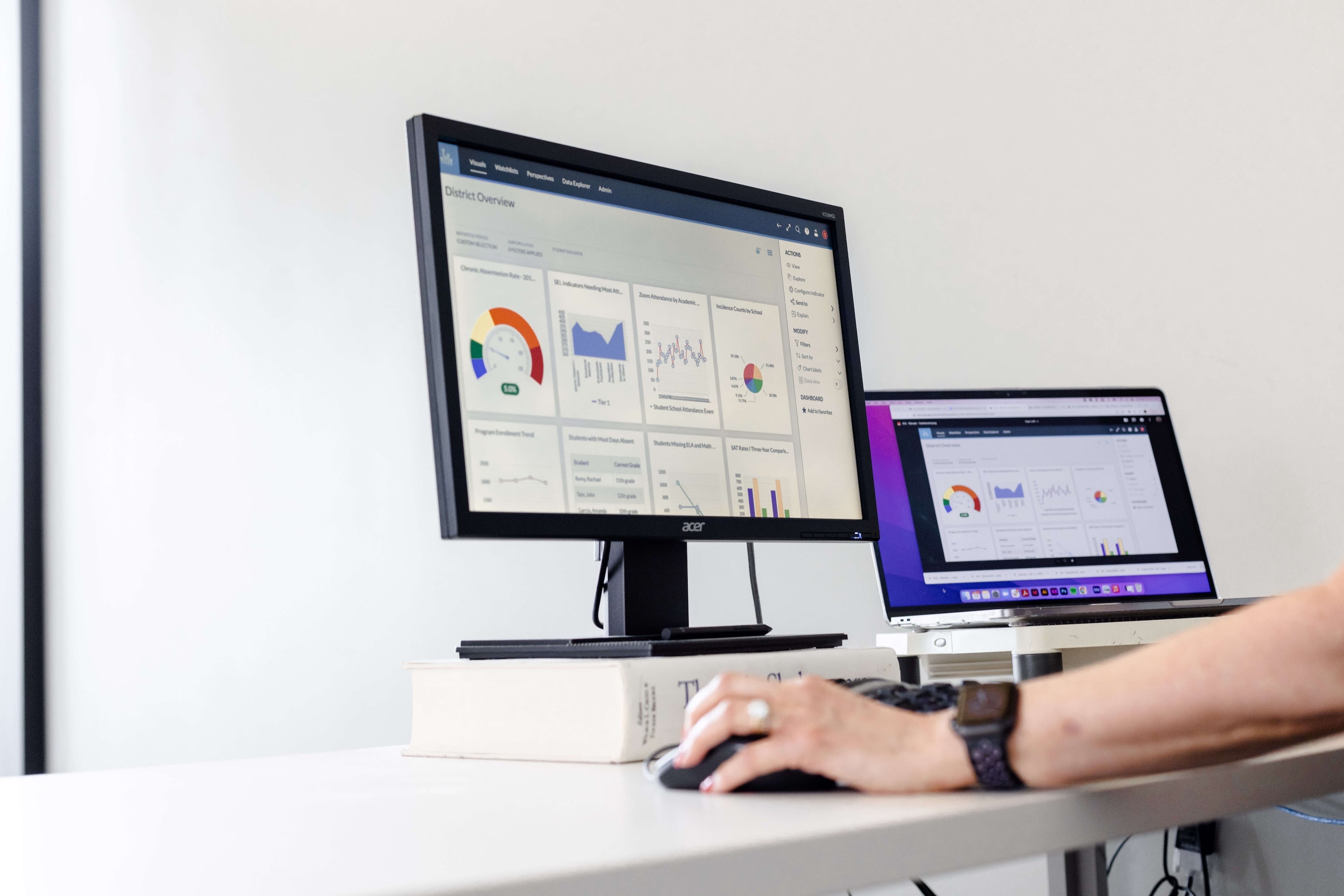
- Analytics That Drive Retention: Canvas gives leaders visibility into student engagement, at-risk learners, course participation, program performance and more.


"Cornell switched to Canvas because faculty and students found it easier to learn and use and easier to connect with other learning technologies."
"Cornell switched to Canvas because faculty and students found it easier to learn and use and easier to connect with other learning technologies."
–Rob Vanderlan, Associate Director at the Center for Teaching Innovation at Cornell
Why is Canvas a better alternative than other LMS options?
Canvas addresses the biggest concerns when it comes to switching to a new LMS with
practical improvements your teams will feel right away.

Faster grading, clearer feedback:
Canvas helps faculty move through grading faster than other LMS options with SpeedGrader, intuitive rubrics, side-by-side views, and moderated grading. Instead of clicking through clunky workflows, instructors can stay focused on feedback and student progress.

Actionable insights:
Canvas provides faculty and leaders with visual student insights, engagement signals, and real-time dashboards making it easier to surface issues early. Teams can move from raw data to action faster, including direct outreach from the analytics views.

A smoother teaching and learning stack:
Canvas supports hundreds of LTI integrations, including tools institutions already rely on like Zoom, Google Docs, and Microsoft Teams. What this means is fewer disconnected experiences and less friction for faculty, students, and IT.

Built for how institutions actually operate:
Canvas supports online, hybrid, and self-paced learning, all in one platform. It’s a strong fit for traditional programs, continuing education, certification programs, and micro-credentialing, so institutions can grow without patching together separate systems.

Easy mobile access for students and faculty:
Canvas supports learning and teaching on the go with dedicated Student and Teacher apps. Mobile access is built into the experience, helping users stay connected wherever learning happens.
Why decision-makers choose Canvas
Canvas gives leadership a platform that supports institutional goals, not just course delivery. With a more consistent experience across programs and better visibility into engagement, institutions can improve student support while planning for long-term growth.
Faculty adopt Canvas faster because it’s easier to navigate and easier to teach with. Everyday tasks like grading, feedback, content updates, and communication take less effort, which helps instructors focus on teaching quality.
Canvas supports IT teams to reduce complexity with a strong integration ecosystem and a platform built for scale. Fewer workarounds and more consistency means less time spent troubleshooting fragmented workflows.
Canvas vs. legacy LMS platforms at a glance
Canvas vs. legacy LMS platforms at a glance
Here’s a simple comparison of the areas institutions care about most when evaluating a change.
What institutions need |
Why it matters |
Canvas |
Legacy LMS experience |
|---|---|---|---|
|
Easy-to-use interface |
Faster adoption and fewer support tickets |
Clean, intuitive navigation for faculty and students |
Can feel complex and less intuitive, increasing training and support needs |
|
Faculty grading workflows |
Save time and improve feedback quality |
SpeedGrader, intuitive rubrics, side-by-side views, moderated grading |
Grading and feedback workflows may feel more cumbersome and click-heavy |
|
Consistent course experience |
Better student experience across programs |
Consistent course design options and simpler workflows across courses |
Experiences can vary more by course setup and instructor workflow |
|
Analytics and engagement insights |
Identify risk earlier and support students sooner |
Visual dashboards, engagement insights, real-time visibility, action-oriented workflows |
Insights may require more effort to access and act on consistently |
|
Integrations |
Keeps your ecosystem connected |
Hundreds of LTI integrations with common higher ed tools |
Integrations may feel more fragmented depending on setup |
|
Mobile experience |
Support learning and teaching anywhere |
Strong Student and Teacher app experience |
Mobile experience can be less consistent across environments |
|
Scalability and flexibility |
Support growth across modalities and programs |
Works across online, hybrid, and self-paced programs, including CE and credentials |
Scaling across different program types may require more complexity |
|
Community and peer support |
Faster problem-solving and shared best practices |
Large and growing Canvas Community for ideas, support, and collaboration |
Peer support is often less central to day-to-day adoption |

Canvas is more modern and much better equipped to meet the needs of today's students and instructors.
Canvas is more modern and much better equipped to meet the needs of today's students and instructors.
–John Braswell, Office of Distance Learning at Florida State University
Institutions like yours have already made the move
Switching LMS platforms is a major decision, and institutions need proof the transition is worth the investment. Explore stories from institutions that moved to Canvas and improved the educational experience for faculty, students, and administrators.
These stories show what improved after switching to Canvas: simpler workflows, better visibility, and a platform teams actually want to use.


Canvas gives you more than software
When institutions choose Canvas, they also join a large and active community of educators, administrators, designers, and technologists. The Canvas Community helps teams share ideas, solve problems faster, and learn from peers who have already been through similar transitions.


Ready to see what Canvas could look like at your institution?
If you’re exploring a change, we can help you evaluate fit, answer migration questions, and show how Canvas supports your institution’s goals.
Dive deeper and explore further
Here are some resources to help you evaluate your potential switch with Canvas LMS with confidence.