"We didn't have an LMS that integrated with other platforms... and we didn't have a solution for video."
Situation
More than a thousand teachers in Murrieta Valley Unified, located in Southern California, serve a K–12 community of approximately 21,000 students. Before 2019, the digital landscape was riddled with disconnected workarounds, and educators lacked a unified hub that could integrate with their heavy use of Microsoft and Google platforms.
Video learning also presented a major gap. Teachers and students relied on a mix of personal accounts and cloud storage to share instructional content. Suzanne Cacanindin, an American Sign Language (ASL) teacher in the district, found assessing over 30 students time-prohibitive. In years past, she gave one-on-one assessments at her desk, as many world language teachers do. Later, she shifted to students recording one by one on a single class device, but that process could still take up to a week and offered limited options for feedback.
Without a learning platform with an integrated video tool to use across the district, learning often remained passive or one-directional. The district wanted to remove the barriers of file uploading and device sharing so teachers could spend more time giving individualized feedback and lean more into the human connection in learning.
Challenges:
- Teachers jumped between platforms like YouTube and various cloud drives.
- One-on-one manual recording for subjects like world languages made it time-consuming to provide frequent, high-quality feedback.
- Relying on external links led to ads and distracting content for students.
- Video uploading and a lack of mobile integration led students to spend time troubleshooting rather than practicing classroom content.
We were using YouTube accounts, videos inside OneDrive, videos inside Google Drive, and it just wasn't clean or accessible to everyone. From the very beginning of using Canvas, we started using Studio and finally had a complete ecosystem where our teachers could really collaborate and thrive.
John Fox, Educational Technology Coordinator
Murrieta Valley Unified School District
Solution
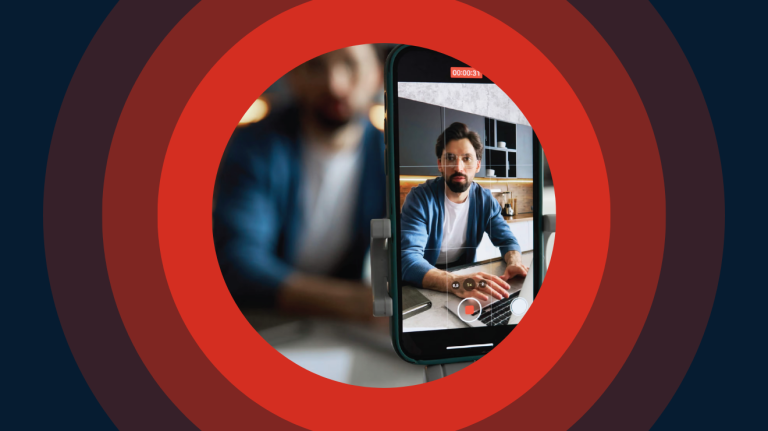
After implementing Canvas LMS, Murrieta Valley Unified immediately began using Studio as a native, intuitive part of the classroom experience. Because Studio lives directly within Canvas, students can now record and submit assignments from their desks simultaneously using Chromebooks, tablets, or their own phones. The intuitive experience stood out to Educational Technology Coordinator John Fox: "I prefer tools that are easy to use, because then we can focus on student learning and teaching strategies. And it couldn't be any easier to screen record, to highlight your learning, or to use any type of device with Studio."
SpeedGrader changed the pace of feedback for teachers, allowing them to leave timestamped comments at the exact moment a student makes an error in solving a math problem or mispronounces a word. Positive feedback looks like a teacher pointing out the effective use of different arguments in a video about a written essay, or highlighting the moment a student shows mastery of a skill they’ve been working on in the classroom. This timely communication lets students see exactly where to improve—and where they’re already improving—without the need for 30+ individual one-on-one meetings for every assessment.
"[Studio] is accessible in every scenario or device that they have."
What used to take me 30 minutes now takes me one minute. Studio makes it easy for students to practice, reflect, and improve while giving me a really clear window into their learning process.
Suzanne Cacanindin, ASL Teacher
Murrieta Valley Unified School District
Outcomes
With Studio in Canvas LMS, Murrieta Valley has removed the friction once associated with video learning and created personalized pathways for students to show their learning like never before.
As generative AI can mimic knowledge, district leaders see Studio as a tool for authentic assessment; it can show not just what students have learned but also what they’re thinking along the way and how they arrived at certain conclusions. Because students must explain their thinking or argue a point on camera, they provide a personal context that is impossible to replicate. As John Fox notes, "You can really look like you know what you’re doing with AI, as opposed to really understanding concepts, but it’s much harder to fake with video."
The technology allows teaching and learning to take center stage because the days of long upload times and incompatible files are long gone. Students can use the Global Navigation button to access their personal video library, an archive of their growth.
"Students are able to take care of everything in one tab."
The ripple effect of interactive video in ASL
Cacanindin’s ASL program serves as a district-wide model for how Studio can directly impact student outcomes. After the move to an integrated digital ecosystem, she’s enjoyed more efficient assessment options and witnessed the power of self-correction in the classroom.
It starts with a continuous practice loop where students use Studio to record multiple takes of their signing, self-correcting their handshapes and facial expressions before ever hitting submit. Students even started collaborating and giving feedback to their friends to make sure their communication is the best it can be. She explained, “In that process, so much learning takes place, and so much self-correction takes place, that by the time it came to me, the grading is much more efficient."
She also uses SpeedGrader to leave targeted feedback at the exact timestamp she identifies a syntax error or a handshape mistake. Students can revisit the specific moment of correction and see what she means, rather than traditional written feedback on an in-person assessment that a student can go back and watch. Because Studio preserves this effort over time, Level 4 students look back at their freshman videos and both laugh at their humble beginnings and feel proud of how much they’ve grown in their language skills.
The results of this iterative approach? The majority of Cacanindin’s seniors reach the biliteracy levels required to earn the state seal, which she attributes to how students practice and reflect in Studio.
The goal? Learning how to learn.
Results of meaningful video evidence of learning
- 100% of Cacanindin’s students are reaching the proficiency levels required to earn the state’s biliteracy seal, which she attributes in part to the feedback loop she can create with Studio.
- Teachers can have every student record a task at once in the known Canvas environment, rather than waiting for one-on-one time or navigating to external recording platforms with a separate login.
- Teachers can watch student submissions at up to 2x speed to quickly move through visual assessments like multi-step math problems or speaking prompts.
- Seniors look back at their freshman videos to visualize their progress in confidence and skill—a self-reflection process John Fox says is “more powerful than any test score.”
That self-reflection is at the center of Studio’s impact, argues Fox. "Students see themselves as growing learners. Studio allows for that kind of self-reflection for every student, every day, 24/7, on our system, on any device. To me, that’s what makes it so powerful."
There's no way that we function moving forward in any type of digital learning or classroom without video evidence of learning. Studio is a foundational tool that helps us authentically assess student learning. Plain and simple.
John Fox, Educational Technology Coordinator
Murrieta Valley Unified School District
Capture learners’ thinking with Studio